+
.in
USD
  • Account
  • Sign Up
  • Sign In
You have no items in your shopping cart.
ABOUT 1OUTLETS
Home Shopping Books Arts & Photography Graphic Design Commercial Illustration Affinity V3 User Guide for Beginners: A Step-by-Step Manual to Master Design, Photo Editing, and Layout with Ease
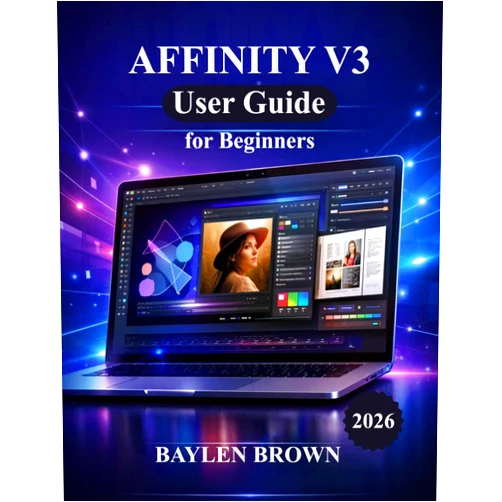
BAYLEN BROWN Affinity V3 User Guide for Beginners: A Step-by-Step Manual to Master Design, Photo Editing, and Layout with Ease

BAYLEN BROWN Affinity V3 User Guide for Beginners: A Step-by-Step Manual to Master Design, Photo Editing, and Layout with Ease

Author

BAYLEN BROWN

( 134 reviews ) See Reviews (1Outlets)

In stock *In Stock - Subject to stock availability at point of fulfilment. In the event whereby the item is out of stock or unable to provide the service, 1Outlets will cancel the order and issue a Full refund in-store credit to you. SKU : 7c6de6482fa490a71f338fcd53571258

USD13.37
  • Buy 2 for USD12.47 each and save 7%
  • Buy 10 for USD12.17 each and save 10%
Qty:

**Free Shipping Worldwide available - Shipping time may vary depending on the address.

**Circumstances Reroute - This is a time of great stress and uncertainty. We are actively validating, routing and re-routing orders with our overseas merchants, logistic partners and airlines. Deliveries and supply may expect delays.

**In Stock (Low Inventory Warning) - Subject to stock availability at point of fulfilment. In the event whereby the item is out of stock or unable to provide the service, 1Outlets will cancel the order and issue a Full refund in-store credit to you (See Refunds).

**Report or Request Removal  - Any copyrighted, DMCA, inappropriate, offensive, prohibited, potentially Illegal Listings (Submit doc here).

Details

Baylen Brown: Where Creativity Takes Flight!

Unleash your inner artist with BAYLEN BROWN Affinity V3 User Guide for Beginners! Dive headfirst into a world of vibrant colors, stunning visuals, and boundless creative possibilities. This step-by-step manual empowers children and beginners alike to master design, photo editing, and layout with pure joy and ease. Discover the magic of Affinity V3 and transform your imagination into reality.

Main Features

  • Comprehensive Step-by-Step Instructions: The guide provides clear, easy-to-follow instructions, broken down into manageable chunks, making learning Affinity V3 a breeze for everyone.
  • Child-Friendly Language and Examples: The language is simplified and engaging, using real-world examples that children can understand and relate to, sparking their curiosity.
  • Hands-on Exercises and Projects: It features interactive projects and exercises, allowing users to practice what they learn immediately and build their skills through fun activities.
  • Visually Appealing Layout and Design: The guide boasts a colorful and attractive design, filled with vibrant illustrations and visual aids, keeping young learners motivated and engaged.
  • Focus on Core Concepts: It zeroes in on the fundamental principles of design, photo editing, and layout, providing a solid foundation for future creative endeavors.

Benefits

  • Boost Creativity and Imagination: The Affinity V3 guide helps children unlock their creative potential, encouraging them to think outside the box and explore their artistic talents.
  • Develop Problem-Solving Skills: By working through projects and overcoming challenges, users enhance their problem-solving abilities and learn to think critically.
  • Build Confidence and Self-Esteem: Successfully completing projects and mastering new skills builds confidence and fosters a sense of accomplishment, empowering young designers.
  • Create Stunning Visuals: Learners are empowered to craft amazing designs, captivating photo editing projects, and dynamic layouts for their creative projects.
  • Learn a Valuable Skill: Mastering Affinity V3 provides a marketable skill that can be utilized for school projects, personal interests, or future creative pursuits.

Unique Selling Points / Competitive Advantages

  • Specifically Designed for Beginners: The guide is tailored to beginners, breaking down complex concepts into simple, digestible information.
  • Emphasis on Fun and Engagement: It prioritizes a fun and engaging learning experience, making the process enjoyable and motivating for children.
  • Focus on Practical Applications: The guide emphasizes practical applications, helping users learn how to use Affinity V3 for real-world projects.
  • Positive and Encouraging Tone: The guide uses an uplifting and supportive tone, encouraging users to embrace their creativity and have fun while learning.
  • Step-by-Step, Project-Based Learning: Users learn by doing, working on actual projects while acquiring practical skills in a supportive, step-by-step process.

Usage Scenarios

  • Creating School Projects: Students can use Affinity V3 to design posters, presentations, and other school projects with a professional touch.
  • Designing Social Media Content: Children and teenagers can learn to create eye-catching graphics for their social media profiles and channels.
  • Personal Creative Expression: Kids can express themselves through art, design, and photo editing, crafting personalized artwork and designs.
  • Building a Creative Portfolio: Aspiring young designers can build a portfolio to showcase their skills and abilities.
  • Collaborative Design Projects: Children can work together on collaborative projects, enhancing their teamwork and communication skills.

Customer Reviews / Testimonials

  • Liam, United Kingdom, 2023: "My daughter absolutely loves this guide! She's now designing her own birthday cards and posters. It's fantastic!"
  • Sofia, Spain, 2023: "The best guide for beginners! My son is captivated by the clear instructions and fun projects. Thank you!"
  • Akira, Japan, 2022: "This book opened up a whole new world of creativity for my child. The Affinity V3 software is now easy to use."
  • Chloe, Australia, 2023: "The layout is so child-friendly! My daughter is learning photo editing skills while having so much fun!"
  • David, Canada, 2022: "A game-changer for my son's school projects. The clear instructions helped him understand the software quickly."

Frequently Asked Questions

  • Q: Is this guide suitable for complete beginners?
    • A: Absolutely! The guide is specifically designed for beginners with no prior experience.
  • Q: What version of Affinity does the guide cover?
    • A: The guide covers Affinity V3.
  • Q: Can I use this guide on a tablet?
    • A: Yes, you can use it on a tablet. The guide works perfectly with the tablet version of Affinity V3.
  • Q: Does the guide include exercises?
    • A: Yes, it contains many hands-on exercises and projects.
  • Q: What is the main benefit?
    • A: The main benefit is learning how to design and edit photos, fostering creativity and self-confidence, and boosting skills.

BUY NOW

Supercharge your child's creativity and watch them soar! Grab your copy of the BAYLEN BROWN Affinity V3 guide today and ignite the spark of design! Get them learning about photo editing, design, and creative expression!

(Beta: User Generated 2024.0007)
Specification
Category: Books > Arts & Photography > Graphic Design > Commercial > Illustration
Author:

BAYLEN BROWN

Weight: 0.38555351416kgs
Language: English
ISBN-13: 979-8254962076
Terms & Warning