+
.in
USD
  • Account
  • Sign Up
  • Sign In
You have no items in your shopping cart.
ABOUT 1OUTLETS
Home Shopping Books Education & Teaching Schools & Teaching STEM Education Series: Write your first pong game: using Construct (V2 & V3) (STEM Programming and Coding)
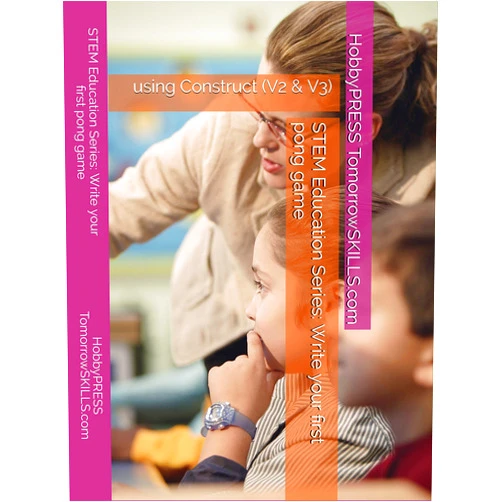
HobbyPRESS TomorrowSKILLS.com,Chak Tin Yu STEM Education Series: Write your first pong game: using Construct (V2 & V3) (STEM Programming and Coding)

HobbyPRESS TomorrowSKILLS.com,Chak Tin Yu STEM Education Series: Write your first pong game: using Construct (V2 & V3) (STEM Programming and Coding)

( 342 reviews ) See Reviews (1Outlets)

In stock *In Stock - Subject to stock availability at point of fulfilment. In the event whereby the item is out of stock or unable to provide the service, 1Outlets will cancel the order and issue a Full refund in-store credit to you. SKU : 3759aa9cf9d8ec854a9de11aa28f70b0

Qty:

**Free Shipping Worldwide available - Shipping time may vary depending on the address.

**Circumstances Reroute - This is a time of great stress and uncertainty. We are actively validating, routing and re-routing orders with our overseas merchants, logistic partners and airlines. Deliveries and supply may expect delays.

**In Stock (Low Inventory Warning) - Subject to stock availability at point of fulfilment. In the event whereby the item is out of stock or unable to provide the service, 1Outlets will cancel the order and issue a Full refund in-store credit to you (See Refunds).

**Report or Request Removal  - Any copyrighted, DMCA, inappropriate, offensive, prohibited, potentially Illegal Listings (Submit doc here).

Details

Launch into Coding Fun with ****!

Dive into the exciting world of HobbyPRESS TomorrowSKILLS.com, Chak Tin Yu STEM Education Series: Write your first pong game: using Construct (V2 & V3). This engaging STEM programming and coding resource empowers young minds to create their own interactive video games using the popular Construct platform. Through clear, step-by-step instructions, this tutorial guides you through every step, making even the most complex programming concepts accessible and captivating. Discover the thrill of bringing your ideas to life, cultivating essential coding skills and problem-solving prowess.

Main Features

  • Intuitive Guidance: The detailed instructions will guide you through the entire coding process, ensuring that every step is clear and understandable.
  • Hands-on Learning: Active participation, combined with practical exercises, makes the learning experience truly interactive.
  • Game Design Focus: Learn how to translate creative ideas into functional code to create your own unique games.
  • Construct Platform Mastery: Master the art of using the Construct platform to develop interactive games through the process of writing simple programs.
  • Age-Appropriate Content: The tutorial is designed to be engaging and effective for all skill levels.

Benefits

  • Develop Essential Coding Skills: Acquire a solid foundation in programming concepts and coding logic.
  • Boost Creativity and Problem-Solving: This tutorial encourages imaginative thinking and innovative problem-solving.
  • Build Confidence in Technology: Gain confidence in your ability to use technology to achieve your goals.
  • Enhance Learning Engagement: The creative programming process captivates and keeps children engaged.
  • Foster a Love for Learning: Instill a lifelong passion for learning through practical and impactful coding experience.

Unique Selling Points / Competitive Advantages

  • Simplified Construct Approach: Provides clear and concise instructions on utilizing Construct to achieve practical coding results.
  • Step-by-Step Tutorials: Easy-to-follow, detailed instructions ensure a smoother learning curve.
  • Emphasis on Game Development: The tutorial encourages a focus on creating actual games.
  • Accessibility for Beginners: This resource makes STEM programming easily accessible for students of any level.
  • Comprehensive Support System: Offers multiple avenues for support to help learners achieve their coding goals.

Usage Scenarios

  • School Curriculum Enhancements: Use as a supplement or enhancement to STEM education courses.
  • After-School Programs: Introduce creative coding through fun and hands-on programming activities.
  • Individual Learning: Use as a personal guide to explore the exciting world of programming for video game design.
  • Family Learning: Encourage family bonding and teamwork while mastering coding together.
  • Creative Coding Clubs: Offer engaging programming activities in a club setting.

Customer Reviews / Testimonials

  • Maria Rodriguez (USA), 2023: "My son absolutely loves this tutorial. It made coding so much fun for him and he's now eager to learn more!''
  • Aisha Khan (India), 2024: "My daughter found the game development aspect exceptionally appealing. The simplicity of instructions is remarkable, a clear boost for her STEM journey."
  • Liam O'Connor (Ireland), 2023: "This tutorial is a fantastic guide for programming. It helped me build my first interactive video game, a great success!"

Frequently Asked Questions

  • Q: What prior coding knowledge is required? A: No prior coding experience is needed. The tutorial provides comprehensive guidance for all skill levels.
  • Q: What software is needed? A: You need the Construct software (V2 or V3) to follow along.
  • Q: Is this tutorial suitable for game development projects? A: Absolutely! This tutorial is tailored to create fun and engaging video game projects.
  • Q: How is this STEM education program delivered? A: The tutorial is delivered in a comprehensive, engaging, and accessible manner.
  • Q: How will this tutorial aid STEM learning? A: This tutorial will empower learners by providing detailed coding instructions and game development strategies.

BUY NOW

Embark on a coding adventure and create your first video game with **! Order today and inspire the STEM programmer** within!

(Beta: User Generated 2024.0007)
Specification
Terms & Warning