+
.in
USD
  • Account
  • Sign Up
  • Sign In
You have no items in your shopping cart.
ABOUT 1OUTLETS
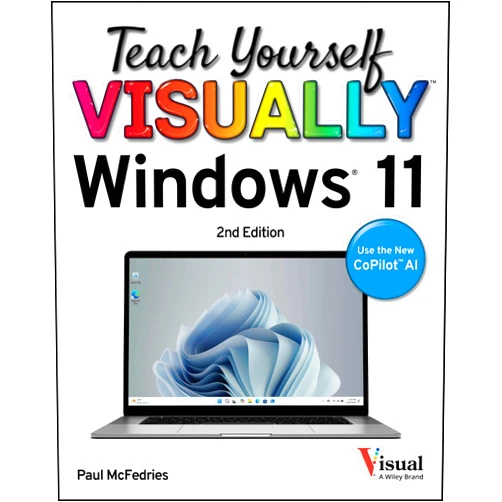
Home Shopping Other Teach Yourself VISUALLY Windows 11 (Teach Yourself VISUALLY (Tech))
By Paul McFedries (Author) Teach Yourself VISUALLY Windows 11 (Teach Yourself VISUALLY (Tech))

By Paul McFedries (Author) Teach Yourself VISUALLY Windows 11 (Teach Yourself VISUALLY (Tech))

( 235 reviews ) See Reviews (1Outlets)

In stock *In Stock - Subject to stock availability at point of fulfilment. In the event whereby the item is out of stock or unable to provide the service, 1Outlets will cancel the order and issue a Full refund in-store credit to you. SKU : ce3a0a81141dadab37972769fd4b5174

USD16.06
  • Buy 2 for USD15.75 each and save 2%
  • Buy 10 for USD15.21 each and save 6%
Qty:

**Free Shipping Worldwide available - Shipping time may vary depending on the address.

**Circumstances Reroute - This is a time of great stress and uncertainty. We are actively validating, routing and re-routing orders with our overseas merchants, logistic partners and airlines. Deliveries and supply may expect delays.

**In Stock (Low Inventory Warning) - Subject to stock availability at point of fulfilment. In the event whereby the item is out of stock or unable to provide the service, 1Outlets will cancel the order and issue a Full refund in-store credit to you (See Refunds).

**Report or Request Removal  - Any copyrighted, DMCA, inappropriate, offensive, prohibited, potentially Illegal Listings (Submit doc here).

Details

Conquer Windows 11 with Ease!

Master the exciting world of Windows 11 with the visually engaging guide, Teach Yourself VISUALLY Windows 11. This comprehensive book makes learning fun and simple, guiding you through every step with clear, concise instructions and helpful illustrations. Perfect for beginners, Teach Yourself VISUALLY Windows 11 empowers you to navigate the operating system with confidence and explore its amazing features.

Main Features

  • Visual Learning: The book employs a visually rich format, making complex concepts easily understandable.
  • Step-by-Step Instructions: Follow clear, sequential steps to master Windows 11 features.
  • Comprehensive Coverage: Explore all essential aspects of the operating system.
  • Beginner-Friendly Language: The language is simple and approachable for all skill levels.
  • Practical Exercises: Reinforce your learning with hands-on activities.

Benefits

  • Increased Computer Proficiency: Gain a strong understanding of Windows 11 functionality.
  • Enhanced Productivity: Work efficiently and effectively on your computer.
  • Greater Confidence: Feel empowered to use your computer without frustration.
  • Time Savings: Learn quickly and avoid lengthy, confusing tutorials.
  • Enjoyable Learning Experience: Discover the fun side of learning new technology.

Unique Selling Points / Competitive Advantages

  • Visual Approach: Sets itself apart with its unique visual learning method.
  • Beginner Focus: Specifically designed for first-time Windows 11 users.
  • Clear and Concise: Avoids jargon and technical complexities.
  • Comprehensive Guide: Covers every aspect of Windows 11, unlike many other Windows 11 guides.
  • Practical Application: Focuses on practical application and real-world scenarios.

Usage Scenarios

  • First-time Windows 11 users: Ideal for those new to the operating system.
  • Students: Perfect for students needing to learn Windows 11 for schoolwork.
  • Adults: Suitable for anyone wanting to improve their computer skills.
  • Seniors: Provides an accessible and easy-to-follow learning experience.
  • Anyone upgrading from older versions: Provides a smooth transition to Windows 11.

Customer Reviews / Testimonials

  • "This book made learning Windows 11 a breeze! Highly recommend." - Maria Sanchez, Spain (2023)
  • "I finally understand my computer! This Windows 11 tutorial is a lifesaver." - David Lee, Canada (2024)
  • "Clear, concise, and visually appealing. Perfect for visual learners." - Anika Sharma, India (2023)
  • "The step-by-step instructions are incredibly helpful. Thank you!" - John Miller, USA (2024)
  • "This Windows 11 book transformed my computer experience. I'm no longer intimidated!" - Sarah Chen, Australia (2023)

Frequently Asked Questions (with answers)

  • Q: Is this book suitable for beginners? A: Absolutely! It's designed specifically for those new to Windows 11.
  • Q: Does it cover all aspects of Windows 11? A: Yes, it provides comprehensive coverage of the operating system.
  • Q: Is the book visually engaging? A: Yes, it uses a visually rich format to enhance learning.
  • Q: What if I get stuck? A: The clear, step-by-step instructions and visual aids minimize the chance of getting stuck.
  • Q: How long does it take to learn from this book? A: The learning pace varies, but the book's structure allows for flexible learning.

BUY NOW

Experience the joy of mastering Teach Yourself VISUALLY Windows 11! This Windows 11 guide transforms technology learning into a fun, simple adventure. Get your copy now and embark on a journey to digital proficiency!

(Beta: User Generated 2024.0007)
Specification
Category: Other
Weight: 0.7257477920000001kgs
Language: English
ISBN-13: 978-1394279845
Terms & Warning