+

In stock *In Stock - Subject to stock availability at point of fulfilment. In the event whereby the item is out of stock or unable to provide the service, 1Outlets will cancel the order and issue a Full refund in-store credit to you. SKU : bab39abe0f91fdc7ce37f6a7bfb1159c
**Free Shipping Worldwide available - Shipping time may vary depending on the address.
**Circumstances Reroute - This is a time of great stress and uncertainty. We are actively validating, routing and re-routing orders with our overseas merchants, logistic partners and airlines. Deliveries and supply may expect delays.
**In Stock (Low Inventory Warning) - Subject to stock availability at point of fulfilment. In the event whereby the item is out of stock or unable to provide the service, 1Outlets will cancel the order and issue a Full refund in-store credit to you (See Refunds).
**Report or Request Removal - Any copyrighted, DMCA, inappropriate, offensive, prohibited, potentially Illegal Listings (Submit doc here).
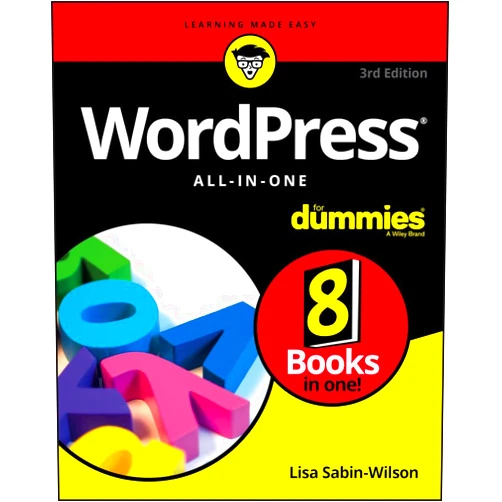
WordPress All-in-One for Dummies will equip you with everything you need to build stunning websites! Explore the ins and outs of WordPress, transform your ideas into interactive digital experiences. Embrace your creative vision.
User-Friendly Interface: Navigate the WordPress dashboard with ease, even if you’re new to website building. This feature is designed to simplify the complex process of website creation.
Customization Options: Design your site your way, select from thousands of themes and plugins. It empowers users to tailor their websites to their unique needs and visions.
Content Management System (CMS): Create, edit, and organize content effortlessly with WordPress CMS. This provides the tools to manage your website content.
SEO Optimization Tools: Learn about SEO best practices and integrate tools to make your site search engine-friendly. This helps your website is easily discoverable by search engines like Google.
Mobile Responsiveness: Build websites that look amazing on any device, from desktops to smartphones. Ensures your website looks and functions perfectly across all devices.
Become a Web Wizard: Master the art of website creation and gain a valuable new skill. Allows you to control your online presence.
Share Your Story: Express yourself and communicate with the world. Let you share your stories with others.
Build Your Brand: Establish your own website for personal and professional growth. Helps you build your online identity.
Expand Your Horizons: Discover the possibilities of WordPress, and explore the digital world! Enables you to discover the full potential of website creation.
Boost Your Confidence: Build something amazing that you’re proud of and enjoy your journey! Empowers you with the knowledge and confidence to create your own website.
Beginner-Friendly Approach: Simplify complex concepts into understandable information with WordPress for dummies. Makes the learning process accessible and enjoyable.
Comprehensive Coverage: A complete guide to everything WordPress, from setup to advanced customization. Provides a one-stop-shop for all WordPress needs.
Up-to-Date Information: Stay current with the latest features and functionalities of WordPress with regular updates. Ensures you are using the most current information.
Hands-on Exercises: Learn by doing with practical examples and step-by-step instructions. Apply knowledge in practical scenarios.
Accessible Language: Presented in a clear, concise, and easy-to-understand manner. Removes technical jargon.
Creating a Personal Blog: Share your thoughts, experiences, and passions with the world, easily set up. Helps to create an online journal.
Building a Business Website: Showcase your products or services and attract customers. Helps attract more customers.
Establishing an Online Portfolio: Exhibit your work to potential employers or clients with WordPress. Perfect way for an individual or professional to showcase work.
Setting up an E-commerce Store: Sell your products online and reach a global audience, the best way to do online business. Helps to set up online business.
Designing a Website for a Non-Profit: Promote your cause and engage with supporters, a perfect tool to raise awareness! This promotes cause awareness.
Sofia, Italy, 2023: “WordPress All-in-One for Dummies made website building a total breeze! Now I have my own amazing blog!”
David, Canada, 2022: “I was so intimidated by websites! But this book walked me through every step. I made my own website!”
Aisha, Australia, 2023: “I always wanted to start my own website, and I finally did it! A must read for anyone!”
Carlos, Brazil, 2022: “Absolutely fantastic book! Highly recommended to every WordPress beginner.”
Emily, United Kingdom, 2023: “The best investment I've ever made! I built a stunning website. I recommend this book!”
Q: Do I need any coding experience to use WordPress? A: No coding experience is required! WordPress is designed to be user-friendly, and you can build a website without knowing any code.
Q: Can I use WordPress for free? A: Yes, the WordPress software itself is free. You may need to pay for a domain name and hosting, depending on your needs.
Q: How do I choose a theme for my website? A: There are thousands of themes to choose from! Consider your website’s purpose, branding, and desired look and feel when selecting a theme.
Q: What are plugins, and do I need them? A: Plugins add extra features to your WordPress website. You may need plugins for things like contact forms, SEO, and security, but not all plugins are needed.
Q: How can I make my website safe? A: Always keep your WordPress software, themes, and plugins up-to-date and choose strong passwords, this is very important for security.
Harness the power of WordPress and transform your digital dreams into reality. Get your copy of WordPress All-in-One for Dummies now, and jumpstart your website-building adventure!
(Beta: User Generated 2024.0007)